Wiki-Scan 2.0 Wireless Weld Inspection System

Wiki-Scan 2.0 Wireless Weld Inspection System

Handheld Wireless Laser-Based Weld Inspection System


Overview

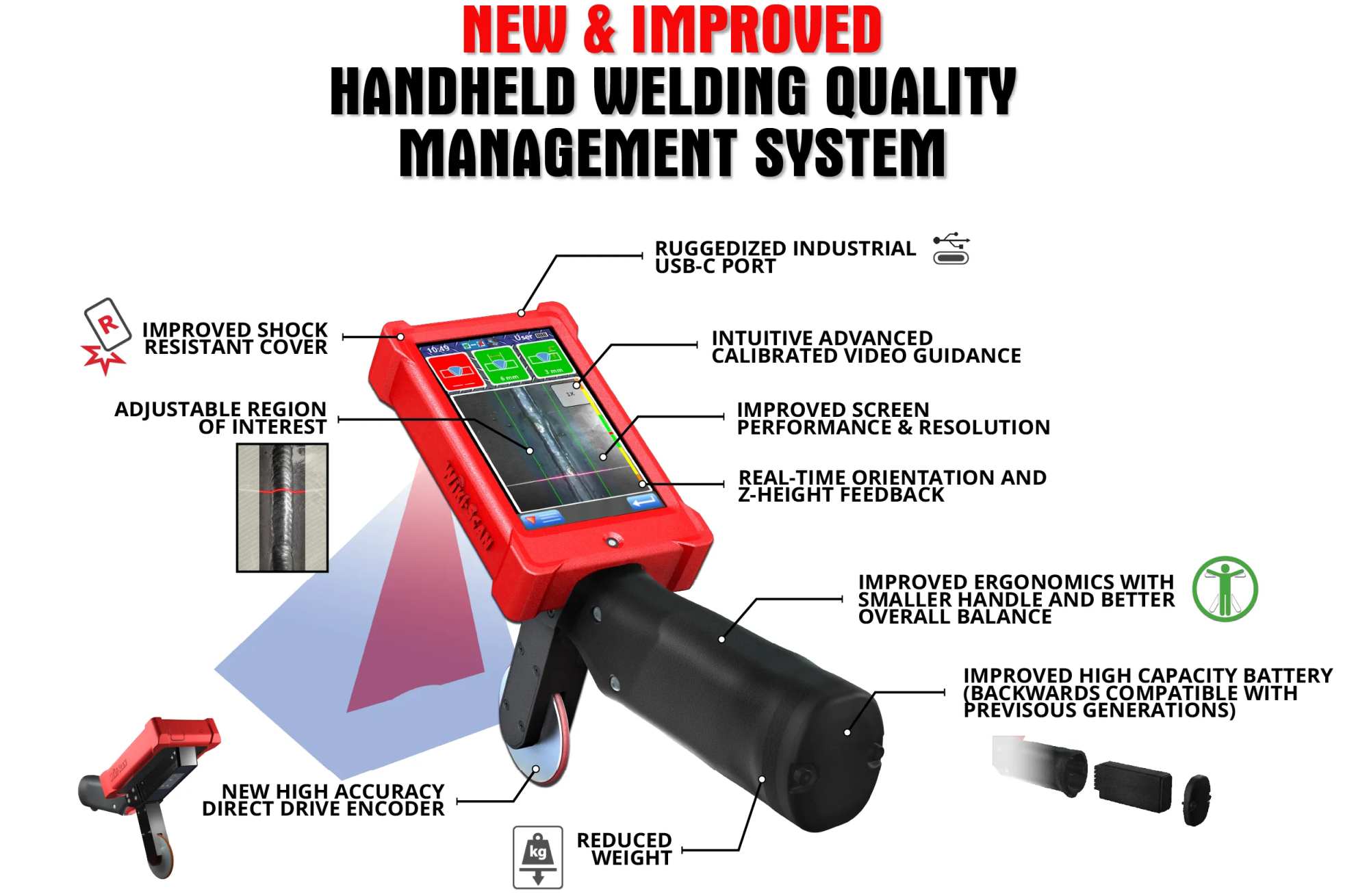
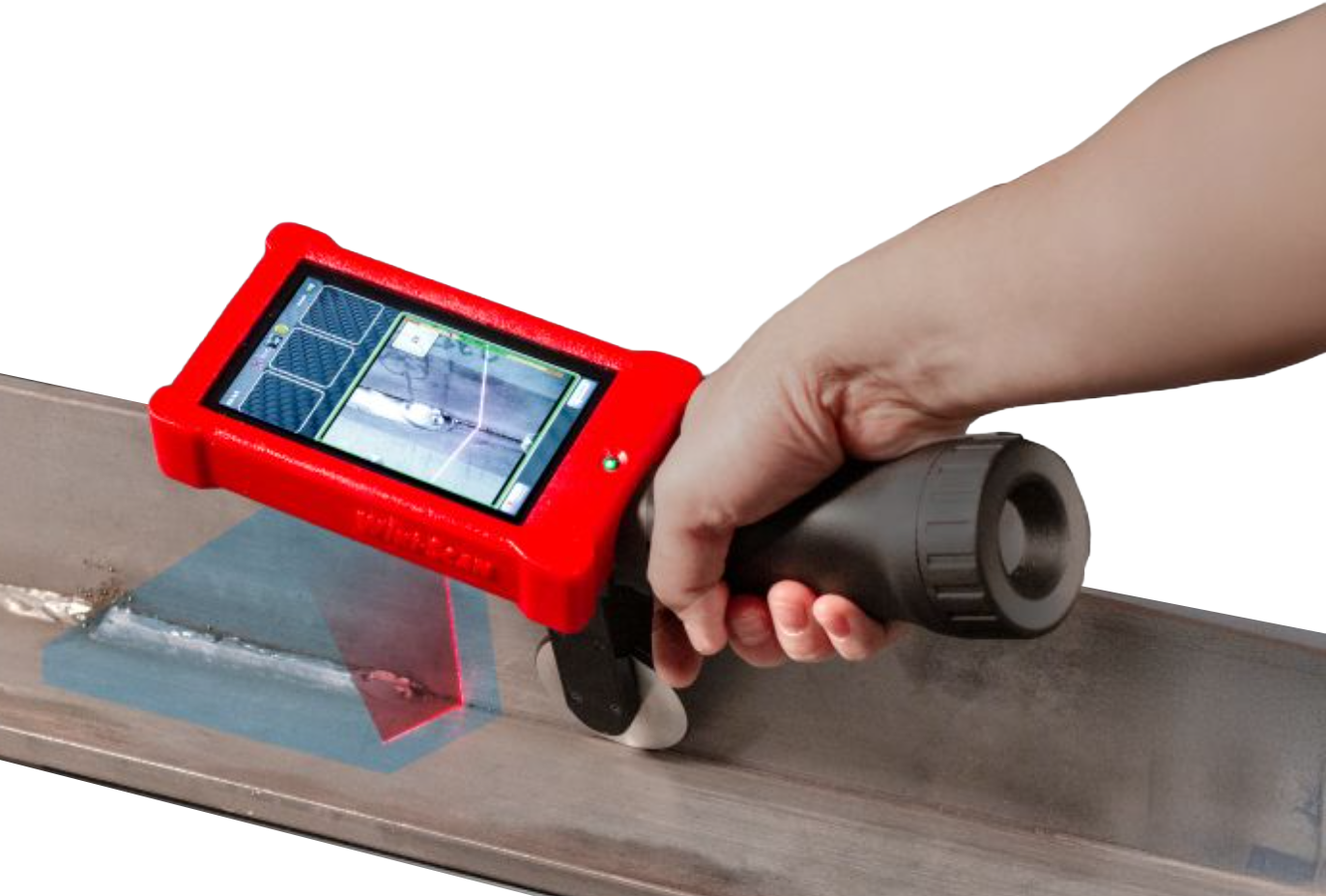
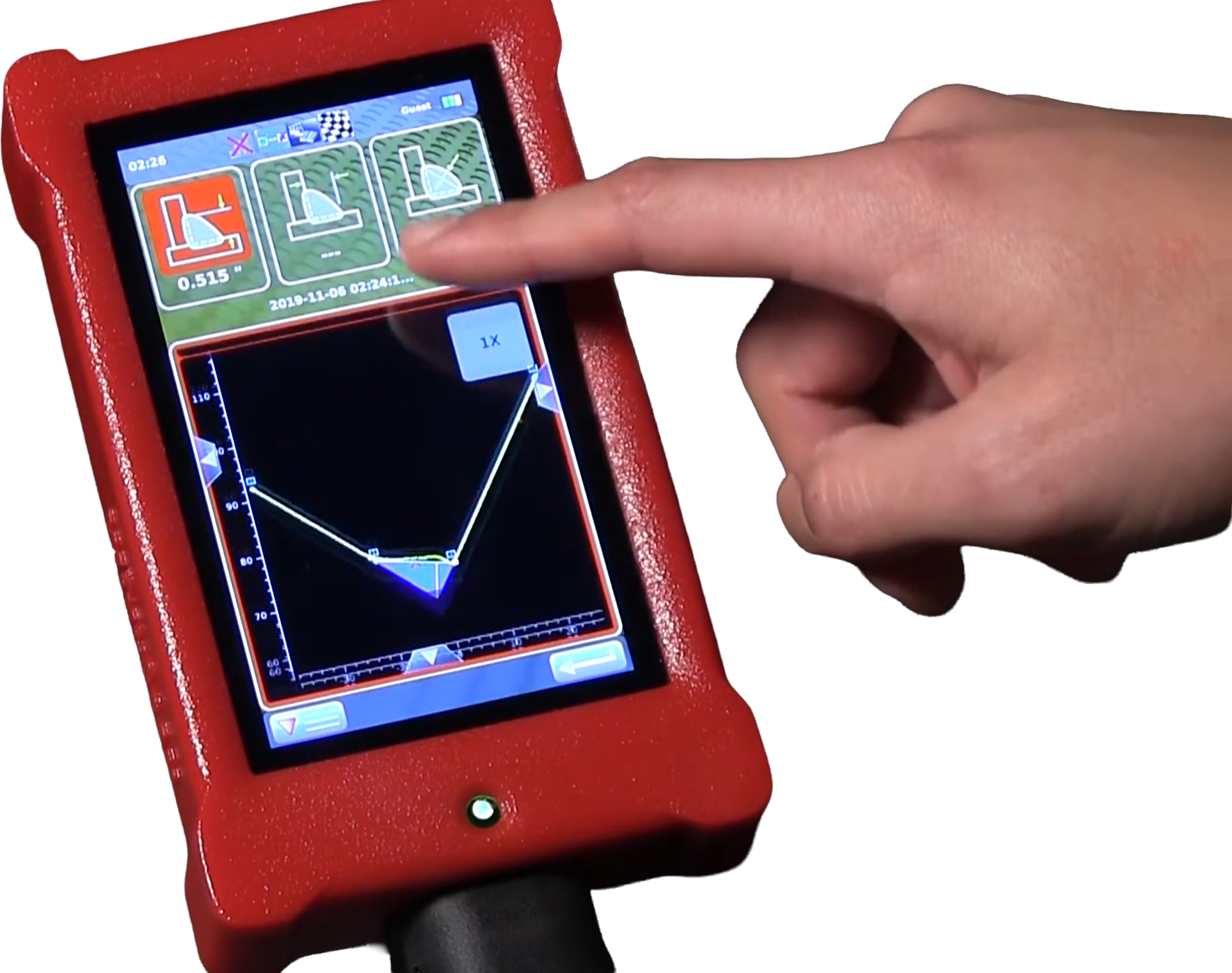
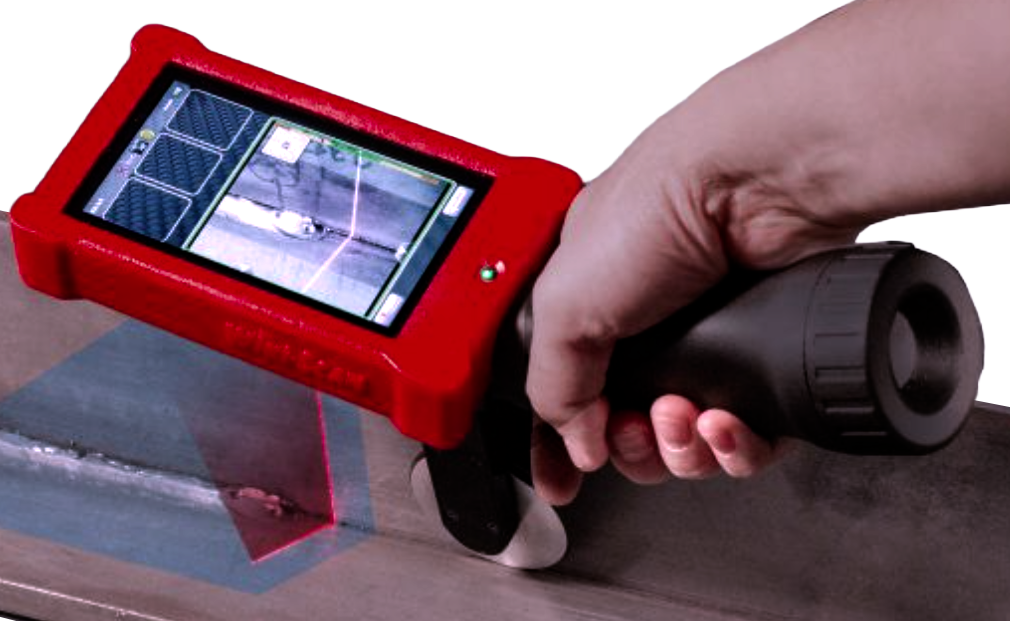
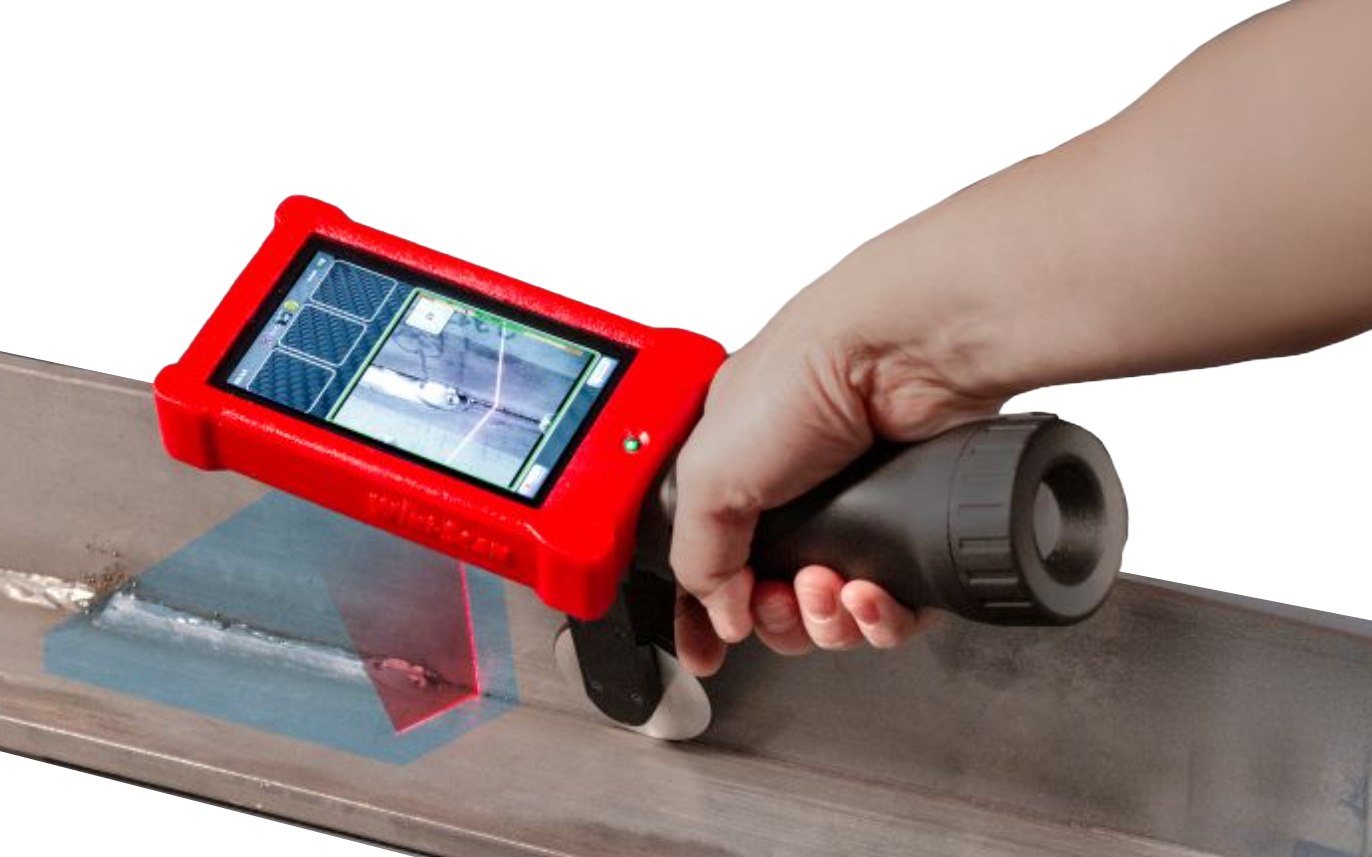
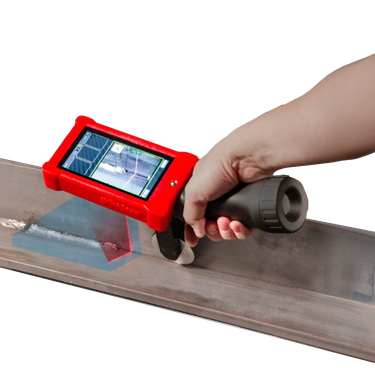
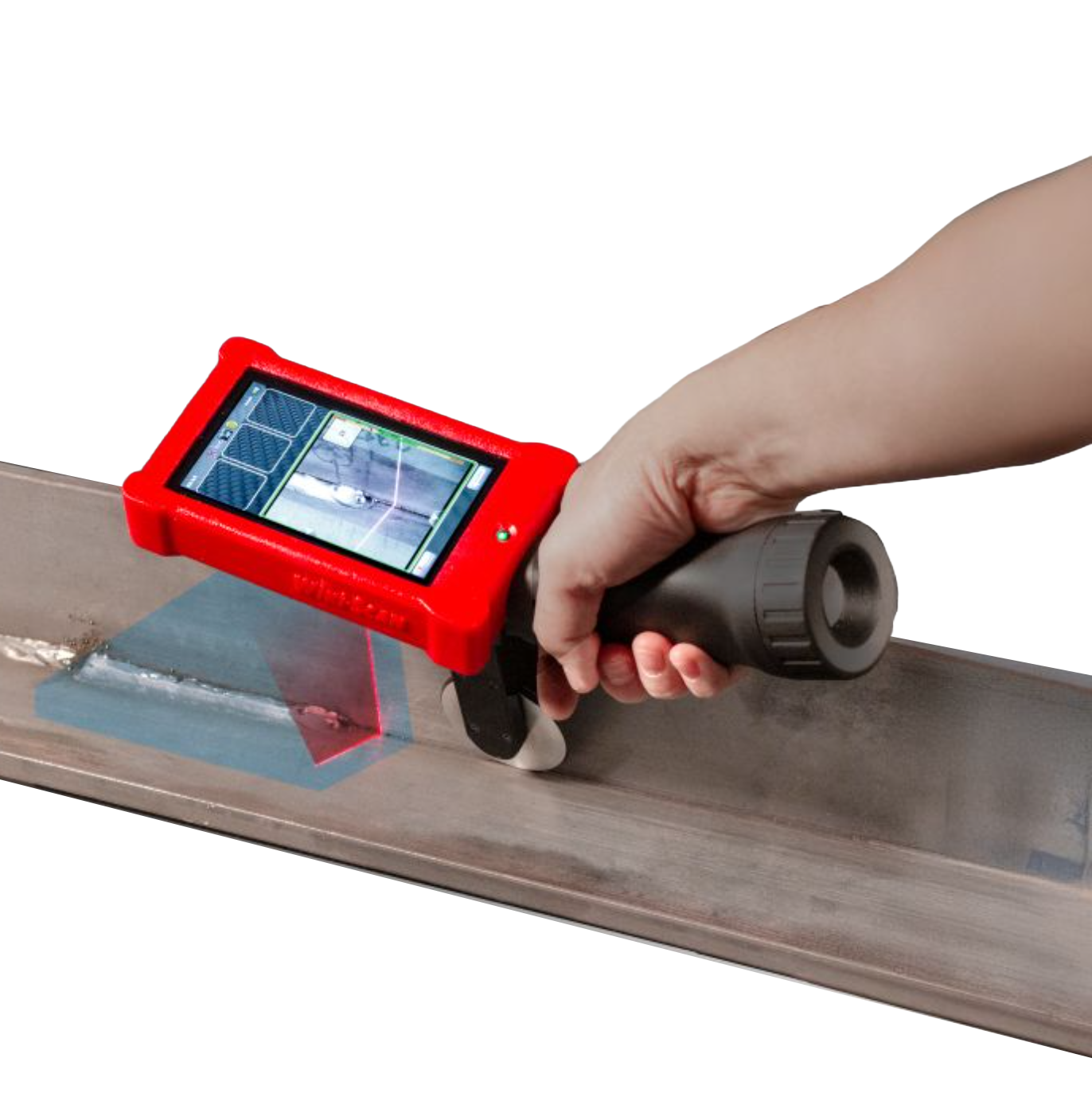
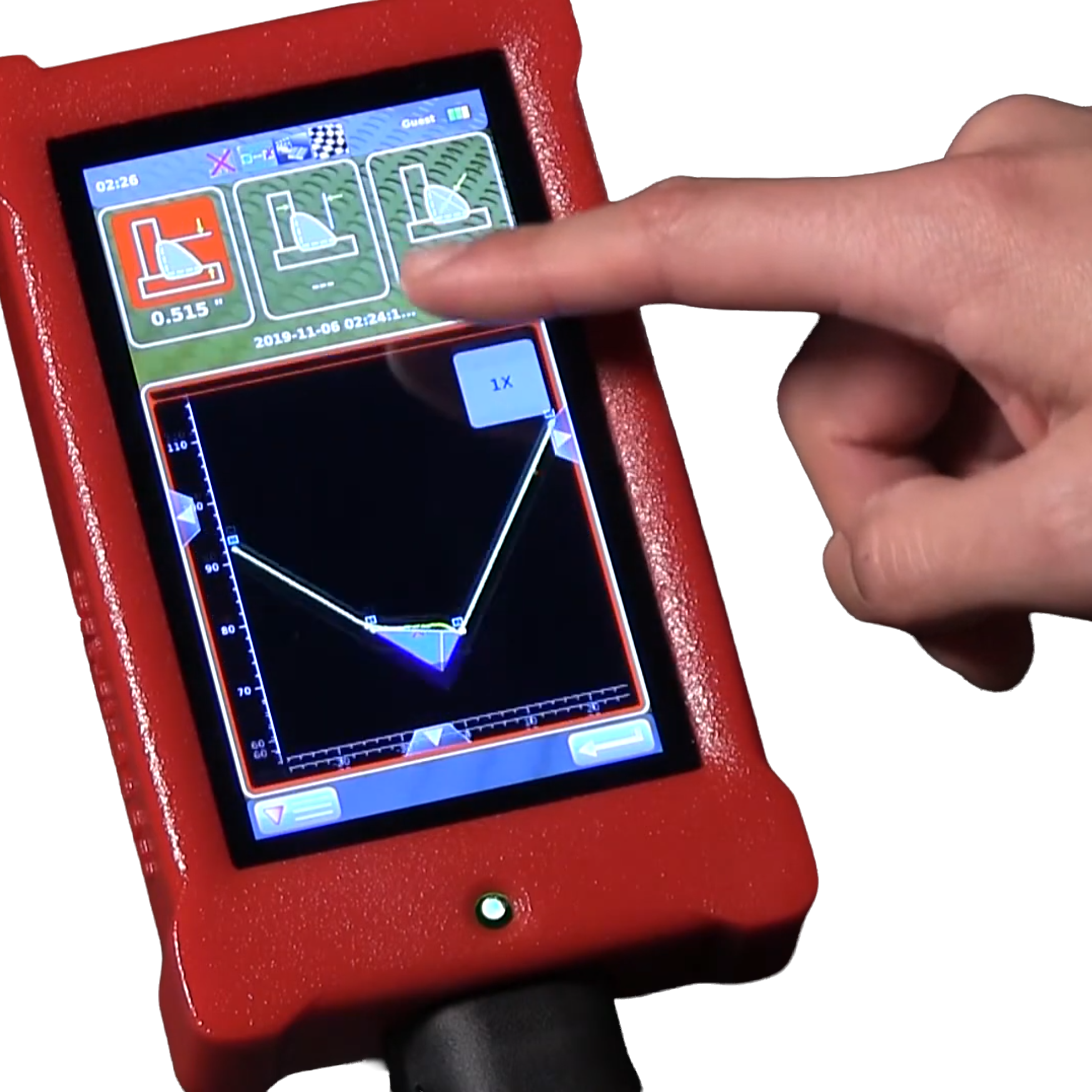
The WiKi-SCAN 2.0 is a handheld, wireless laser-based weld inspection system that improves the reliability and speed of weld inspection compared to traditional mechanical gauges. It captures a 3D scan of joints and weld beads, measuring features such as size, porosity, undercut, toe angle, and cracks, and compares results against applicable welding standards. The WiKi-SCAN can verify part fit-up prior to welding and inspect welds even while the part is hot. Inspection records can be augmented with photos, voice notes, and written comments, then filtered by date or pass/fail status and transferred over Wi-Fi or USB. The result is faster, more objective, and more repeatable inspection in production and field environments.

Model Comparison and Technical Specifications

WiKi-SCAN 2.0
Single Wheel
WiKi-SCAN/L 2.0
Single Wheel
WiKi-SCAN 2.0 Single Wheel WiKi-SCAN/L 2.0 Single Wheel
WiKi-SCAN/HR 2.0
Single Wheel
WiKi-SCAN/HR 2.0 Single Wheel


WiKi-SCAN 2.0™ Wireless Weld Inspection System - Specification Comparison
Model: WiKi-SCAN 2.0
Single Wheel
WiKi-SCAN/L 2.0
Single Wheel
WiKi-SCAN/HR 2.0
Single Wheel
Laser Class: II
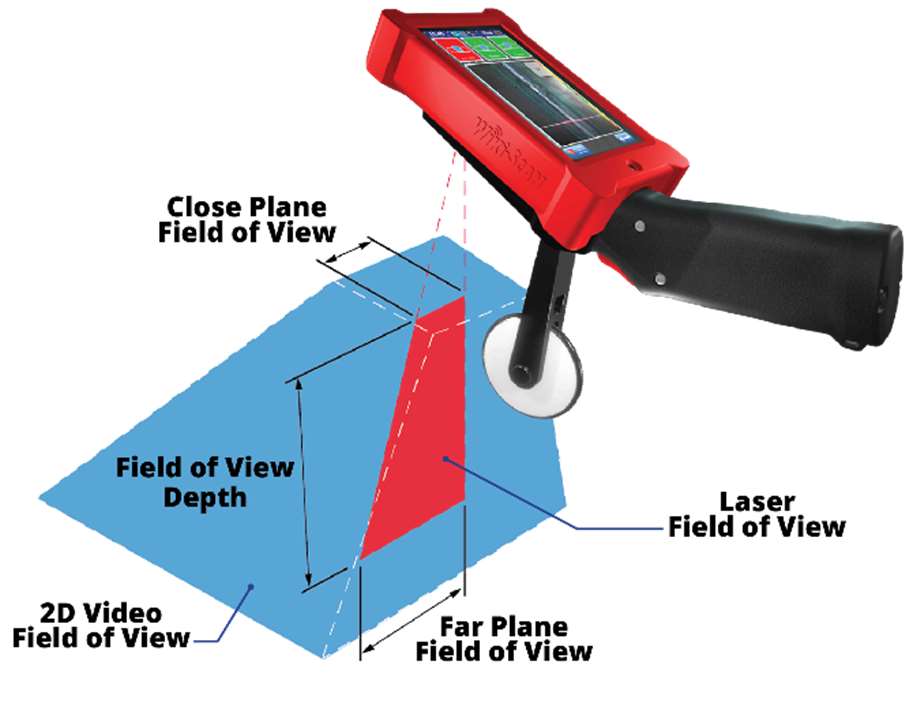
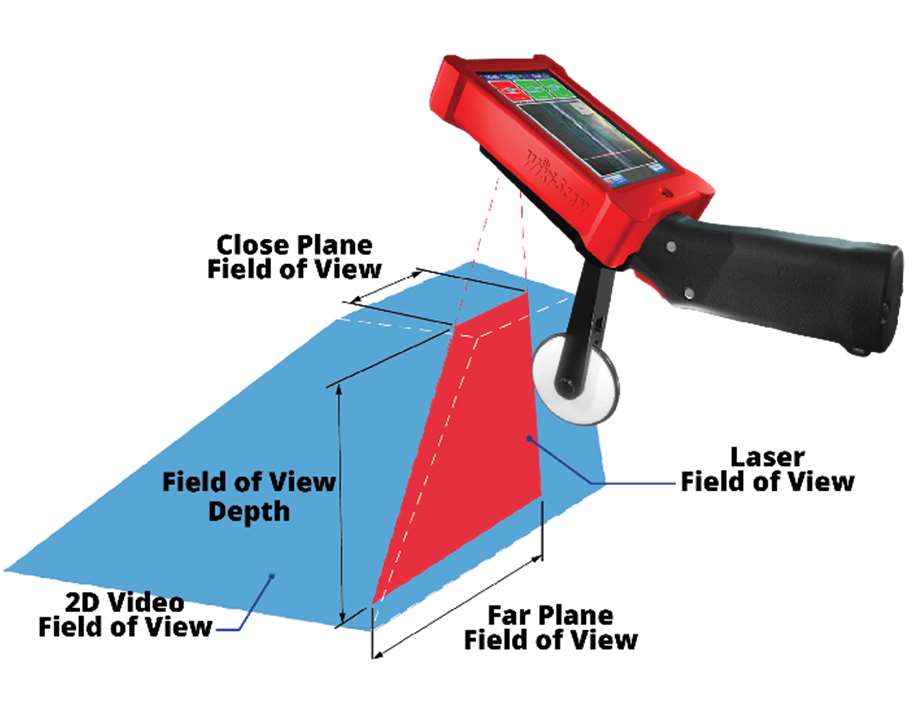
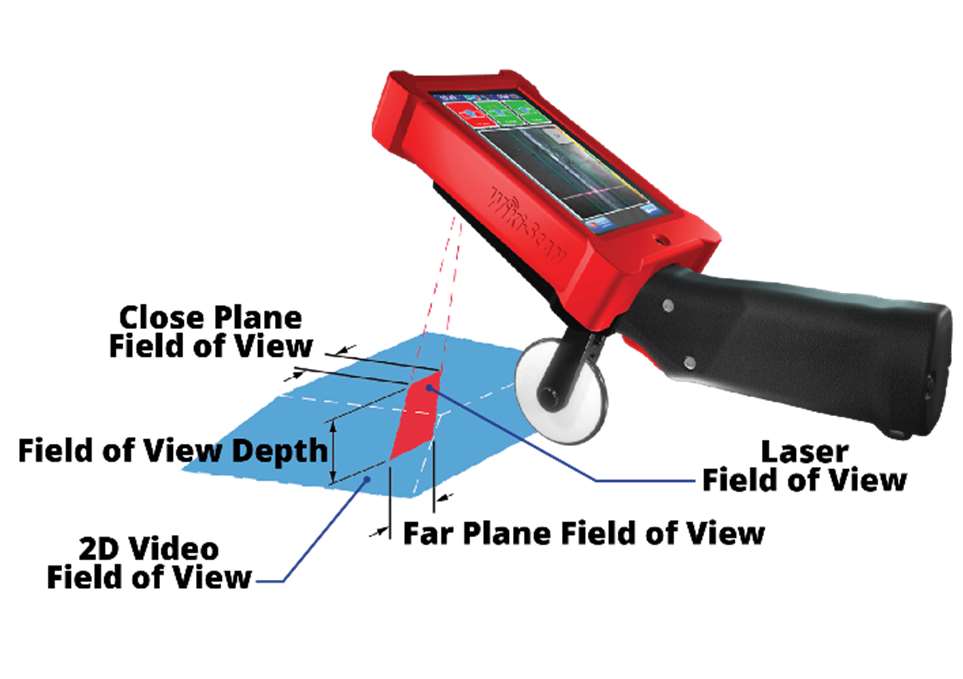
FOV Depth: 4.72" (120 mm) 5.91" (150 mm) 1.57" (40 mm)
FOV with Close Plane: 1.57" (40 mm) 2.76" (70 mm) 0.91" (23 mm)
FOV with Far Plane: 3.31" (84 mm) 6.18" (157 mm) 1.26" (32 mm)
Dimensions: 11.57" x 3.78" x 3.23"
(294 x 96 x 82 mm)
Dimensions with Wheel: 11.57" x 3.78" x 7.4"
(294 x 96 x 188 mm)
11.57" x 3.78" x 8.43"
(294 x 96 x 214 mm)
11.57" x 3.78" x 6.57"
(294 x 96 x 167 mm)
Weight: 2 lbs (920 g)
Weight with Encoder / Wheel Support: 2.2 lbs (1000 g)
Battery Life: 4 to 7 hours depending on use (24 Wh)
Operating Temperature: 41° – 113°F (5° – 45°C)
Connectivity: USB 2.0; Wi-Fi (Dual Band 2.4 / 5 GHz 802.11 a/b/g/n)


Features

  • Non-contact laser-based 3D measurement of joints and welds with point-and-shoot operation
  • Template-based inspection parameters with customizable Go/No-Go tolerances; no programming required
  • Integrated camera, zoom, and weld-area illumination for observing porosity, cracks, and spatter
  • Encoder module for reliable measurement of long welds; automatic inspection report generation
  • Wi-Fi (Dual Band 2.4 / 5 GHz 802.11 a/b/g/n) and USB 2.0 connectivity for transferring results anywhere in the world

Applications

The WiKi-SCAN 2.0 is used for pre-weld fit-up verification, in-process and post-weld inspection, measurement of fatigue-critical features (toe angle, undercut, cracks), and quantification of over-welding — including on hot welds and any weld within reach of the operator's hand. Typical industries and components include:

  • Tank & Vessel: water heater tanks, gas tanks, air cylinders, bulk storage tanks, corrugated panels, safes
  • Power Generation: transformers, wind towers, electrical enclosures, nuclear containment vessels, nuclear waste storage containers, solar panel frames
  • Petroleum, Tube & Pipe: offshore oil rig risers, spiral pipe, roll-formed tubes, radiators, transmission pipe, irrigation piping
  • Off-Road: buckets, cabs, road paver blades, mining shovel components, bulldozer frames, backhoe booms, farm tillers and seeders, mining truck bodies
  • Transportation: bumpers, railroad cars, railroad bogeys, truck frames, forklift frames and masts
  • Construction: light poles, skyscraper columns, water cooling panels, bridge decking, bridge pillars, aluminum concrete forms
  • Defense: engine casings, personnel carrier cabs, army tanks, submarine hulls, ship decking stiffeners, fuel tanks

Joints and Welds

Applicable Joints and Welds

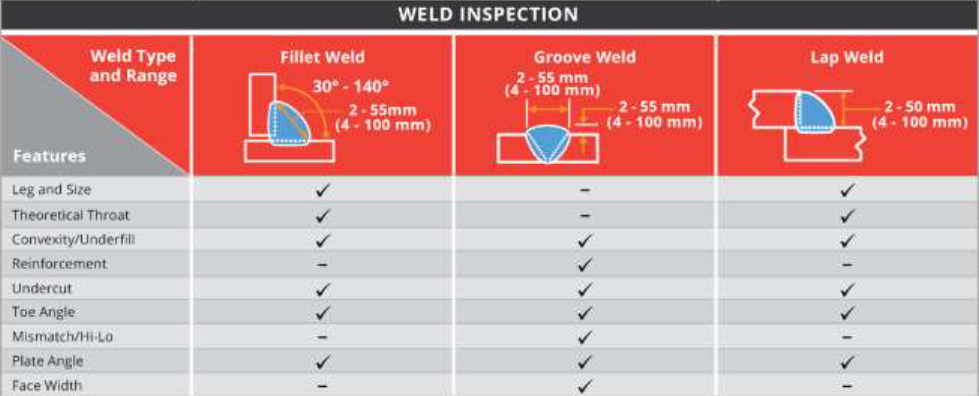
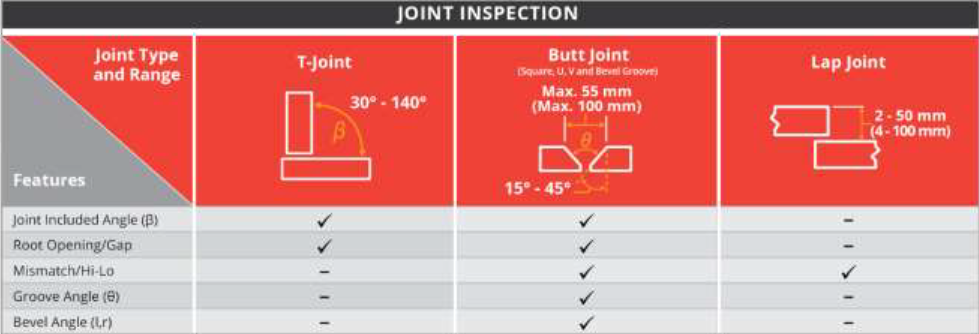
The tables below show the standard joints and welds that can be inspected by the WiKi-SCAN 2.0TM. Other joints and weld templates are available.

Additional Included Joint and Weld Templates

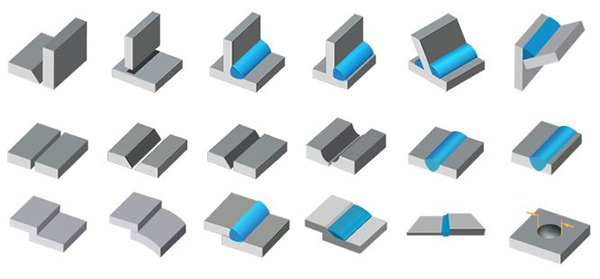
The WiKi-SCAN 2.0TM Handheld Non-Contact Welding Quality Management System comes with various templates of all of the most common joint types and welds. This template based system allows users to easily inspect joints or welds with minimal configuration. The graphic on the left shows the various standard joint templates and weld templates that are available from SERVO-ROBOT.

Accessories & Options Included

Accessories & Options Included

Accessories & Options Included

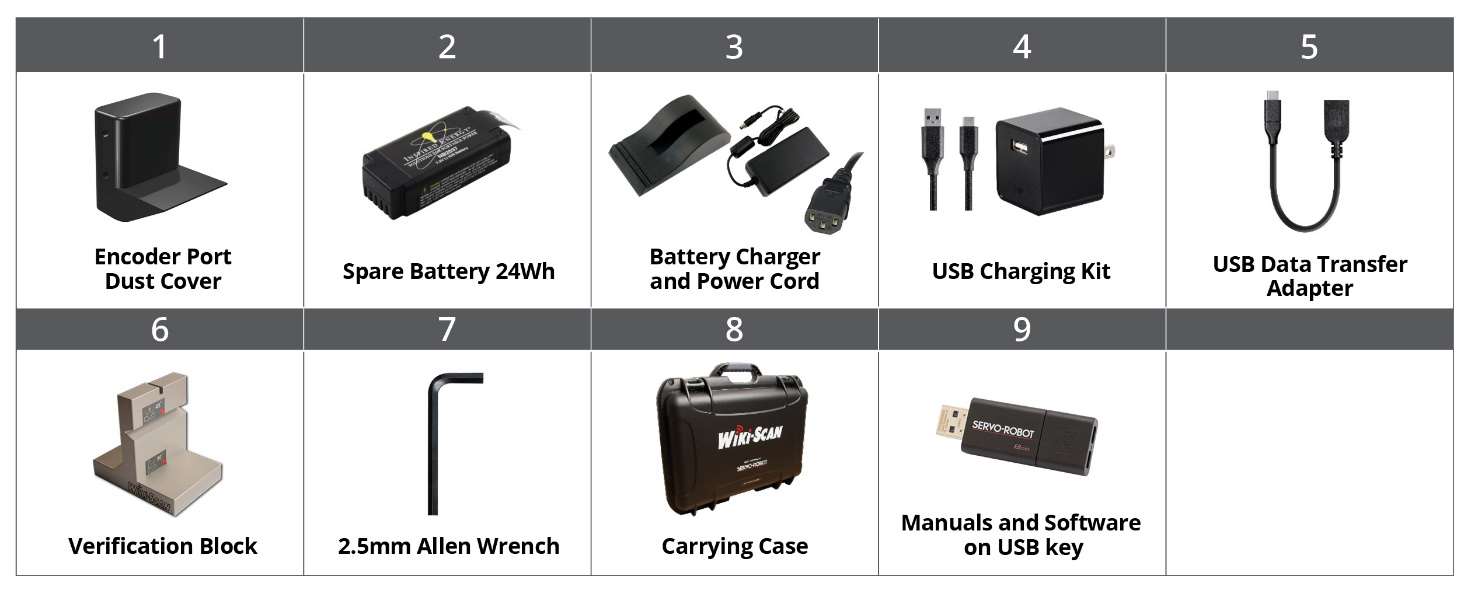
All models ship with the same standard accessory kit.

Accessories and options included


Accessories for the WiKi-SCAN 2.0
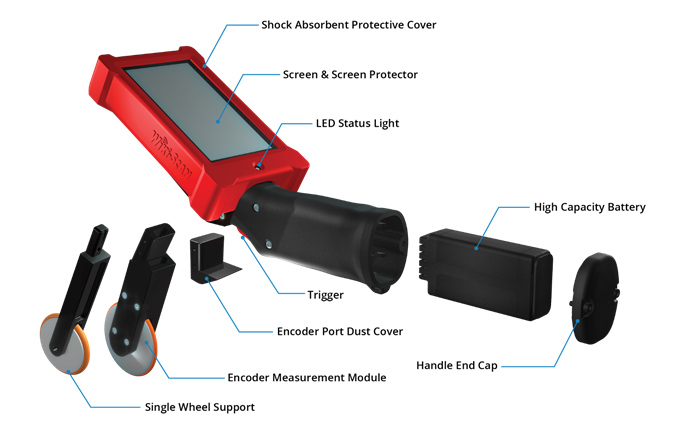
WiKi-SCAN 2.0 Encoder Measurement Module Including Defect Detection Software
The encoder Measurement Module allows users to accurately measure the location of detected defects relative to the start of the weld bead or cumulatively. The position of the defects is automatically recorded for further reference in the WiKi-SCAN 2.0 database.
Additionally, the encoder wheel support assists with maintaining the Wiki-SCAN 2.0 at the optimal position above the part to be inspected.
Quick Release Single Wheel Support for WiKi-SCAN 2.0
The Quick Release Single Wheel support assists with maintaining the WiKi-SCAN 2.0 at the optimal position above the part to be inspected. This support can easily be removed or installed without the need for any additional tools. The light weight and low profile design makes it perfect for working in confined spaces or where access may be limited. 


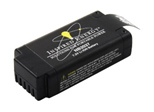
WiKi-SCAN 2.0 High Capacity Battery (24Wh)
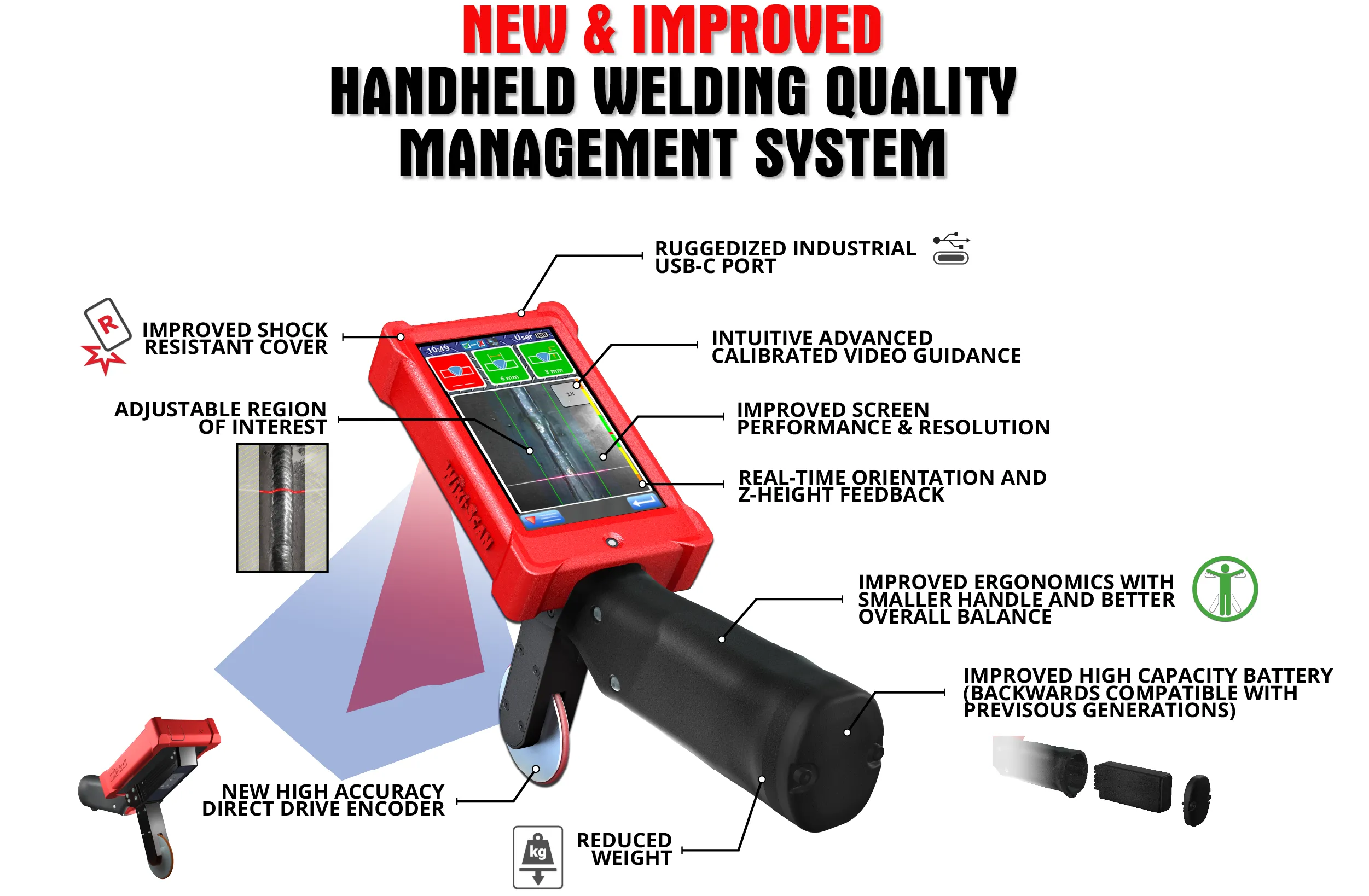
Upgraded version of WiKi-SCAN 2.0 battery. These new batteries are rated at 24Wh and are backwards compatible with the previous generation of WiKi-SCAN.
Note: Due to safety regulations, only 3 batteries (total) can be shipped with each WiKi-SCAN 2.0 system.
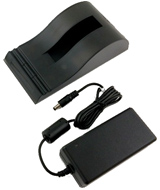
WiKi-SCAN 2.0 Battery Charger
Battery charging cradle for charging WiKi-SCAN 2.0 high capacity batteries outside of the WiKi-SCAN 2.0. The battery cradle can also be used with the previous generation WiKi-SCAN batteries. Typical charge time is around 3.5 hrs. per battery.

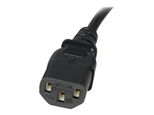
WiKi-SCAN 2.0 Power Cord for Battery Charger
Power Cord for the battery charger based on the wall plug outlet type based on region. The following power cords are available:

  • US
  • EU
  • CN
  • UK
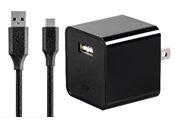
WiKi-SCAN 2.0 USB Charging Kit
The WiKi-SCAN 2.0 USB Charging Kit comes with all the components necessary to charge the high capacity battery inside the WiKi-SCAN 2.0 without ever taking the battery out of the handle. It comes with a 6ft Type C USB cable and a 10-Watt USB charger. Typical charge time is around 3.5 hrs.


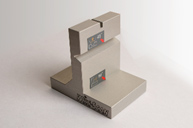
WiKi-SCAN Verification Block
Additional verification block for the WiKi-SCAN 2.0. The verification block is used for periodic verification of the functionality of the WiKi-SCAN 2.0 system.

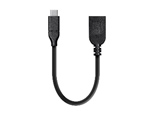
WiKi-SCAN 2.0 USB Data Transfer Adapter
Additional WiKi-SCAN 2.0 USB Data Transfer Adapter. This Cable is used for transferring inspections and files between the WiKi-SCAN 2.0 and USB thumb drive.
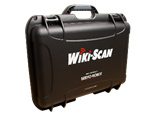
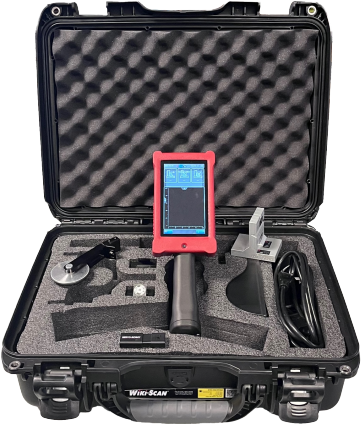
WiKi-SCAN 2.0 Carrying Case
Protective carrying case for the WiKi-SCAN 2.0 to protect it from bumps or shocks. The case comes with the custom cut foam insert for the WiKi-SCAN 2.0 and optional accessories.

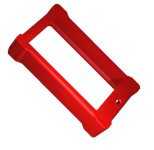
Shock Absorbent Protective Cover
Protective shock absorbent cover for the WiKi-SCAN 2.0. Made of high-quality rubber custom formed to the WiKi-SCAN 2.0 body for increased protection from drops or scrapes.

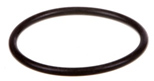
WiKi-SCAN 2.0 Support Wheel and Encoder O-Rings (5 EACH Per Pack)
Replacement O-rings for the WiKi-SCAN 2.0 Encoder Measurement Module and the Quick Release Single Wheel Support. Replacement pack comes with a set of 5 O-rings.

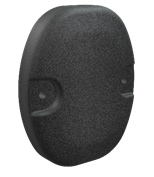
WiKi-SCAN 2.0 Handle End Cap
Replacement end cap for the WiKi-SCAN 2.0 handle. This end cap also includes the 2.5mm captive screws for securing the end cap to the WiKi-SCAN 2.0 handle and the water-resistant gasket.


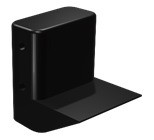
Encoder Port Dust Cover
Replacement encoder port dust cover for the WiKi-SCAN 2.0. The Encoder Port Dust Cover protects the WiKi-SCAN 2.0 from dust and water when the Encoder Measurement Module is not in use. 
Additionally, it allows for the attachment of the quick release supports without the need for any tools.
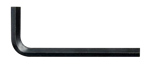
2.5mm Allen Key
Replacement 2.5mm Allen key for the WiKi-SCAN 2.0. This key is used for removal of the Encoder Measurement Module, Encoder Port Dust Cover and the WiKi-SCAN 2.0 Handle End Cap.


WiKi-SCAN 2.0 with Additional Accessories

Kit Components

  • WiKi-SCAN 2.0 handheld unit
  • Encoder measurement module
  • Rechargeable internal battery (24 Wh)
  • USB charging cable
  • Carrying case
  • User documentation and quick-start guide

FAQs

Frequently Asked Questions

1. Is the WiKi-SCAN limited to only inspecting to specific standards?
No, the WiKi-SCAN™ can inspect to any standard, for example AWS D1.1, ASME, etc. Tolerance limits can be manually set for any code being inspected for.

2. What type of joints can the WiKi-SCAN inspect?
T-Joint, Butt Joint and Lap Joint.

3. What type of welds can the system inspect?
Filet Weld, Groove Weld and Lap Weld.

4. What is the smallest defect that can be detected?
0.5 mm

5. What is the maximum inspection speed?
The inspection speed depends on the actual spacing between each scan that you need. As a general reference, a defect of 1 mm in length can be detected at a speed of 1 m/min, with or without encoder.

6. How many scans can I save on the WiKi-SCAN?
The on-board memory can safely hold around 4000 scans depending on if they include images, video and/or audio comments.

7. What happens if the WiKi-SCAN battery goes dead?
All scans and joint info are automatically saved so, in the event of a dead battery, there is no loss of information. The system also features a “Hot Swap” feature that allows for a quick change of batteries without the need to shut down the system.

8. Can one measure non-weld features?
Yes, the manual measurement software allows a user to measure non-weld features from the 3D profile and the 2D picture.

9. How far can one inspect?
The dynamic scan mode records and categorizes up to 100 weld discontinuities down the length of a weld. The amount of weld that can be scanned at one time is dependent on quality of the weld and rigidity of the tolerance limits.

10. Can the WiKi-SCAN inspect the inside of a weld?
No, the WiKi-SCAN™ only does weld surface geometry measurements and inspections.

11. Are all inspections and measurements automatically saved?
Yes, all inspections are automatically saved and can be transferred via USB or Wi-Fi.

12. Does one have to transfer the result to a PC in order to see them?
No, the results are available for viewing directly on the WiKi-SCAN™ screen.

13. Is the WiKi-SCAN pre-calibrated?
Yes, the WiKi-SCAN™ is pre-calibrated at SERVO-ROBOT and can be validated using the verification block that comes with every system. The frequency of the verification procedure is dependent on the user quality assurance plan.

14. Is there a warranty on the WiKi-SCAN?
Yes, there is a one year warranty.

15. How does one identify a weld so it can be found later and related to a specific location on
the part?
Each scan can be tagged with a date and time stamp, the name of the inspector, the part serial number, weld number, and individual scan number. There is also a picture taken with each scan that can help an inspector locate the scan location.

16. Can someone make undesired changes to the set tolerance limits?
The WiKi-SCAN™ comes with one level of password protection that blocks out the ability to change any tolerance limits or system information.

17. Is the WiKi-SCAN laser safe?
Yes, the laser class is 2M. The eyes’ natural blink reflex is good enough to protect the eyes from this laser class. However, users should not look directly into the laser for extended periods of time or utilize optics that could concentrate the beam into the eyes.
18. Is it safe to use the WiKi-SCAN in hot environments?
Yes, the WiKi-SCAN™ is rated for ambient temperatures up to 110 degrees F. As the device does not come in contact with any surface during the inspection, there is no limit to the temperature of the weld being inspected. This gives inspectors a safe way to inspect welds that are still red hot.

19. How durable is the WiKi-SCAN?
The WiKi-SCAN™ is extremely durable and has passed military grade drop tests. It comes with a protective rubber covering and features replaceable screen protectors.

20. Does the WiKi-SCANTM require any additional computer software?
No, each inspection report can be transferred and saved as a custom Microsoft Excel spreadsheet. A free Excel viewer software is available from Microsoft. Although it is not required, additional computer software is available to allow a user to add or change system features from a computer and load it into the WiKi-SCAN™.

21. How do I receive system updates for my WiKi-SCAN?
Contact your local SERVO-ROBOT sales representative. Upon request, the latest software can be made available via FTP site or sent through the mail on a USB.

22. Can the WiKi-SCAN be mounted on a robot?
Yes, please contact a SERVO-ROBOT representative and ask about the WiKi-ROBO™.

23. How do I set the percentage (%) over welding?
Percentage (%) over welding is based on the minimum tolerance of the left and right leg size. The minimum tolerance must be correctly set for the specific joint being scanned to obtain accurate results.

24. What is the difference between leg size and leg length?
Leg length is the distance from the theoretical root to the weld toe. Leg size is the amount of leg that contributes to strength. These differences are most apparent in concave welds.

25. How long does the battery last?
The WiKi-SCAN™ comes with 2 batteries and they last about 2 hours each with heavy use.

26. Can I remove the encoder for tight fitting areas?
Yes, the WiKi-SCAN™ encoder can be removed if needed and used without.

27. Can the encoder be retrofitted?
Yes, it is possible to add the encoder after having purchased the system.

28. Can I purchase a non-standard joints package after receiving a WiKi-SCAN with only the
basic joint package?
Yes. These can be purchased later and can be downloaded through the USB.

29. Why didn’t my WiKi-SCAN recognize the software package update?
The WiKi-SCAN™ update package must be located directly on the USB; it cannot be located in a folder.

30. For inspection reports, is there a maximum number of input characters?
Yes, the maximum characters for task name is 100, for user ID is 12 and for Part ID / Weld ID / Acquisition ID is 16. There is no limit for comments.
Shipping Information

  Weight: Dimensions: Packaging: HAZMAT: (Yes/No) Country of Origin: HTS Code:
Wiki-Scan 2.0 Wireless Weld Inspection System

17.0 lbs

(6.7kg)

20 × 18 × 10”

(52 × 47 × 23 cm)

Cardboard Box

No Canada 9031.80.8085
Description Part # Saved Price Select Option Add to

WiKi-SCAN 2.0 System Selection

WiKi-SCAN 2.0 system with Quick Release Single Wheel Support Package GA-SR-501-00001-US Request Pricing
WiKi-SCAN/L 2.0 system with Quick Release Single Wheel Support Package GA-SR-501-00002-US Request Pricing
WiKi-SCAN/HR 2.0 system with Quick Release Single Wheel Support Package GA-SR-501-00003-US Request Pricing

Encoder & Wheel Support Options

WiKi-SCAN 2.0 Encoder Measurement Module incl. Defect Detection Software GA-SR-301-00023 Request Pricing
WiKi-SCAN/L 2.0 Encoder Measurement Module incl. Defect Detection Software GA-SR-301-00024 Request Pricing
WiKi-SCAN/HR 2.0 Encoder Measurement Module incl. Defect Detection Software GA-SR-301-00025 Request Pricing
Quick Release Double Wheel Support for WiKi-SCAN 2.0 GA-SR-301-00060 Request Pricing

Software Packages

WiKi-SCAN automatic defect detection GA-SR-508026 Request Pricing
WiKi-SCAN 2.0 QR Code Reading Software Package GA-SR-712-00057 Request Pricing

Accessories and Re-Certification

WiKi-SCAN 2.0 High Capacity Battery 24Wh GA-SR-102-03233 Request Pricing
WiKi-SCAN Power Cord for Battery Charger (US) GA-SR-102-03448 Request Pricing
WiKi-SCAN Battery Charger GA-SR-102-03447 Request Pricing
WiKi-SCAN system re-certification GA-SR-WiKi-SCAN-Recert Request Pricing